
Checklist
Getting the kitchen in
Saved products
Shortlist + bought elsewhere
Spending
Planned and recorded separate
Organised project
Scattered records organise into the kitchen checklist, saved products and spending
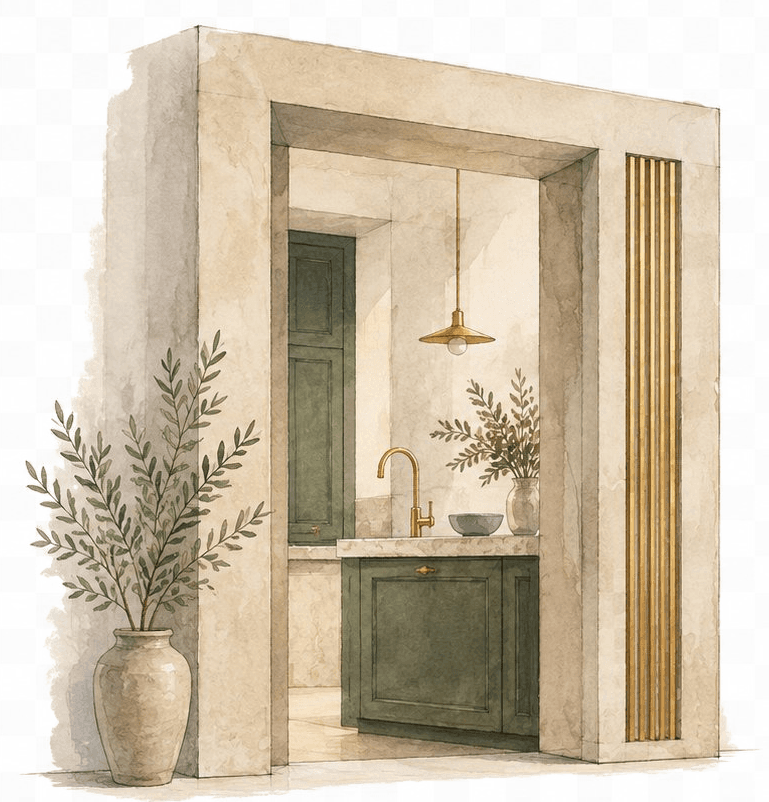
The doorway illustration introduces the project; the stacked notes show how Pocketa brings records together into getting the kitchen in, saved products and spending.
Free UK kitchen renovation workspace
Keep your kitchen renovation organised. Save when you buy
Bring the work, products, quotes, purchases, deliveries and spending into one project, with partner savings across 210+ UK retailers when you are ready to buy, whether you are planning ahead or already mid-renovation.
Free for UK homeowners. No credit card required.
- Free for homeowners
- Partner savings when you buy
- 210+ UK retail partners
- Buy anywhere
Start free today. Organise the renovation in one project, then claim partner savings when you buy.
210+ UK retail partners
Save across appliances, lighting, tools, hardware, finishes and more with 210+ retail partners beside your project.
Appliances · lighting · tools · hardware · finishes · home

Plusshop

Tooled Up

Hiatt Hardware

Hughes

Lightsin

Doulton

Custom Splashbacks

SharkNinja

Ooni
See the workspace
One project for the renovation behind the purchases
Checklist, products, spending, purchases and deliveries in one homeowner-controlled record. Pocketa is more than partner savings: it is the project those savings sit beside.
See how a renovation line connects to a saved product, delivery date, recorded purchase and partner saving.
Project workspace
Oak Street kitchen · mid renovation
Project checklist
In progressChecklist progress for this kitchen
- Cabinets and doorsSorted
- WorktopsSorted
- AppliancesTo review
- Sinks and tapsTo review
- LightingTo review
- FlooringIn progress
- Tiles and splashbacksBought elsewhere
- Finishing detailsNot needed
What Pocketa is for
Organise. Source. Save.
Plan ahead or catch up mid-project. Manage the kitchen until it is in, save products from anywhere, track quotes and purchases, see what still needs attention, and claim partner savings when you buy.
Organise
Keep the renovation under control: setup builds a starting plan around your kitchen, then you edit statuses, deliveries and open questions as the job develops.
Source
Keep product decisions and suppliers connected to the project, including partner options and things bought elsewhere.
Save
Claim useful partner savings on purchases already coming up in your renovation. Partners cannot pay for a more prominent slot.
Know what you planned and what you have actually spent. Pocketa keeps planned lines separate from recorded purchases.
Start with where you are
Planning ahead, or already in it?
Two clear routes into the same free workspace. Both end in one homeowner-controlled project with partner savings beside the buys still open.
I am planning
Start my free project
Answer a few questions, generate a starting plan, and keep products and partner savings beside the work as decisions land.
I am already renovating
Get the renovation under control
Bring current decisions, purchases and outstanding work into one place. Mid-project setup is built for quotes, deliveries and open questions that already exist.
A clearer way through
How Pocketa holds the renovation together
Setup shapes a starting plan around your kitchen. You keep product decisions and outside purchases together, claim partner savings when you buy, and Spending keeps planned amounts separate from what you have actually bought.

Capture where the project stands in minutes
Share what is fixed and what is still open. Setup answers shape your renovation plan so you can see the work of getting the kitchen in.
Manage the kitchen until it is in
Generate an editable starter checklist, then skip, hide or extend lines as the room develops. Use it to brief fitters and keep open questions visible.
Source products and claim partner savings
Keep shortlists, links, prices and statuses in one project record. Claim current partner savings when you buy, or record purchases made elsewhere.
Keep spending and stages under control
See deliveries, planned spending, recorded purchases, partner savings and notes alongside the renovation plan so weekly progress is easier to discuss on site.
Next
Ready to organise the project and start saving?
Create a free workspace, or see how setup, the renovation list, products, partner savings and Spending connect.
Already halfway through?
Get everything back into one place
When emails, screenshots and supplier threads multiply, costly misses get easier. Catch up mid-project, keep the live picture in one place, and claim partner savings on the buys still ahead.
Quote
Quotes in emails
Bring supplier figures into one comparison trail.
Note
Measurements to confirm
Keep room notes beside the decisions they affect.
Receipt
Delivery dates moving
Track changing dates with the products and renovation lines they touch.
From scattered notes to one project record you can steer, with partner savings beside the buys that need them.
Buy wherever makes sense
Save on purchases already coming up in your renovation
Partner savings sit beside checklist decisions and Current offers when you are ready to buy. Record anything bought elsewhere so the project stays complete. The partner link does not add a Pocketa fee.
Useful first step
Get a free cost range first
Still early? Answer a few questions for an indicative UK planning range, not a supplier quote, then open a free project to keep assumptions beside the renovation, products and Spending.
Interactive preview
Tap a size to answer. Three clicks unlock your range.
Question 1 of 3
Three-question preview
Choosing an option advances you automatically.
Indicative UK planning range
Complete the three questions to unlock your preview
Tap Small, Medium or Large on each step. Your range unlocks when all three answers are in.
Quick answers
Common questions, answered plainly
What is Pocketa?
Pocketa is the free UK kitchen renovation workspace that helps homeowners organise the project and save when they buy. Keep the work, product decisions, purchases and costs in one record, claim current partner savings across 210+ UK retailers, and buy elsewhere when that suits you better. You can also use the free kitchen cost estimator for UK planning ranges before you create a project.
What problem does Pocketa solve?
Kitchen renovations become hard to steer when information, quotes, tasks and decisions live across messages, notes, spreadsheets and emails, often after the project is already moving, and when useful retailer savings are easy to miss. Pocketa brings the record into one clearer workspace and surfaces partner savings beside the buy decisions that need them.
I am buying a UK kitchen from several places. Do I need a general project app?
Not if you want a kitchen-ready record rather than a blank board. Pocketa is a free UK kitchen renovation workspace for homeowners who buy cabinets, appliances, worktops and fittings from more than one shop. It keeps the checklist, mixed-supplier products, outside purchases, deliveries and spending in one project, so you do not have to design that system in a general project app first. Examples of general project apps include Airtable, Notion, ClickUp or Trello. Those remain useful when several people need custom boards, files and automation. Other tools exist too.
I feel overwhelmed by my kitchen renovation. Can I still start?
Yes. Many people join mid-project when quotes, tracking links and decisions already feel scattered. Mark what is sorted, keep what still needs attention visible, claim partner savings on the buys still ahead, and use the free cost estimator if you want a UK planning range before you deepen the record.
Free for homeowners
How we keep Pocketa free
Pocketa is free for UK homeowners. Retailer partnerships fund the workspace, surface partner savings when they are useful, and keep your renovation record organised in one place.
When you follow an eligible partner link and make a purchase, Pocketa may earn a commission. The partner link does not add a Pocketa fee, and you stay free to compare or shop elsewhere.
Begin
Organise the project and save on the buys still ahead
Create your free workspace, answer a few practical questions and keep quotes, deliveries, spending and partner savings in one place you can return to.
Free for UK homeowners. No credit card required.
Prefer a planning range first? Get a free cost range